OS drive encryption
Enable and monitor protection on the operating system drive.

 D-LOCKBITLOCKER COMMAND CENTER
D‑LOCK turns Microsoft BitLocker management into a clean, organized experience — without complex PowerShell commands.
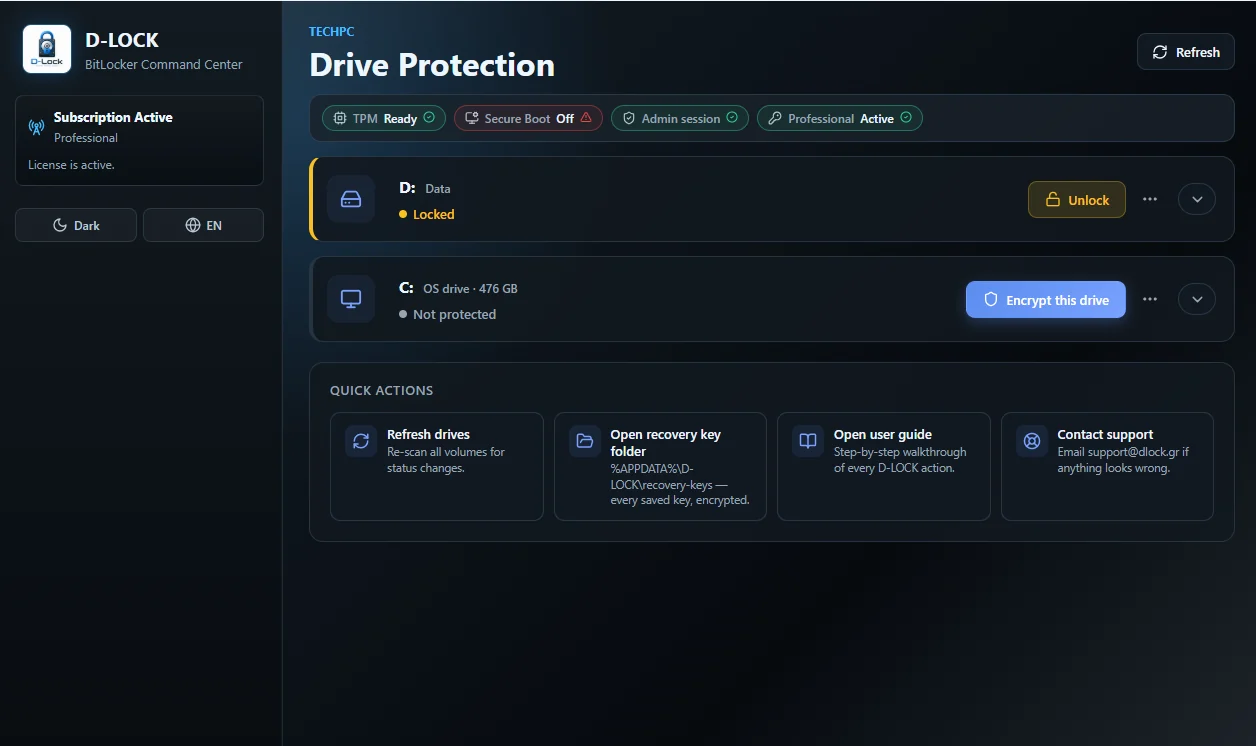
Everyday encryption and recovery tasks organized in one consistent environment for users and IT professionals.
Enable and monitor protection on the operating system drive.
Protect removable media, external drives and data volumes.
See the status and progress of every operation at a glance.
Organized access to the recovery keys you need.
Suspend, resume, lock and unlock through straightforward controls.
A bilingual interface for Greek-speaking and international teams.
Every screen focuses on the action you need, without unnecessary visual noise.
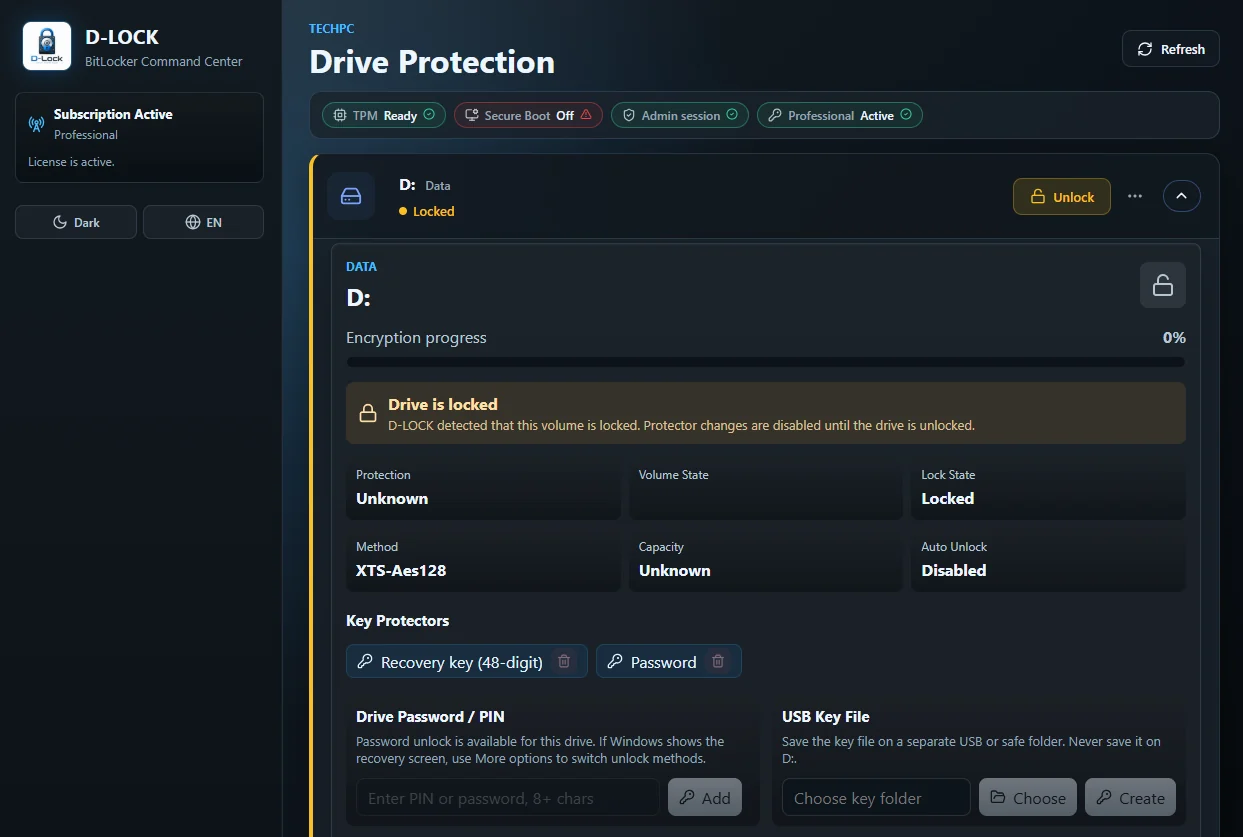
Protection status, available drives and quick actions on one central screen.
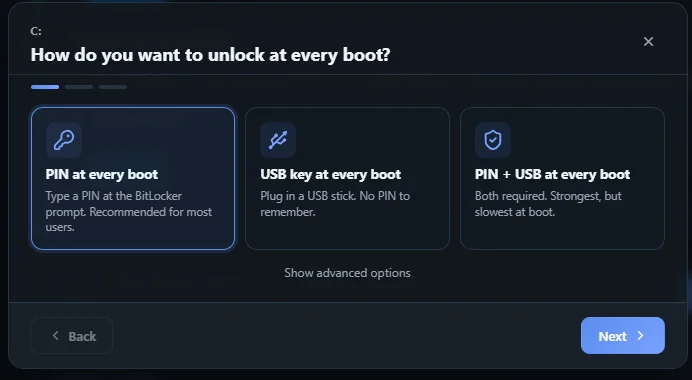
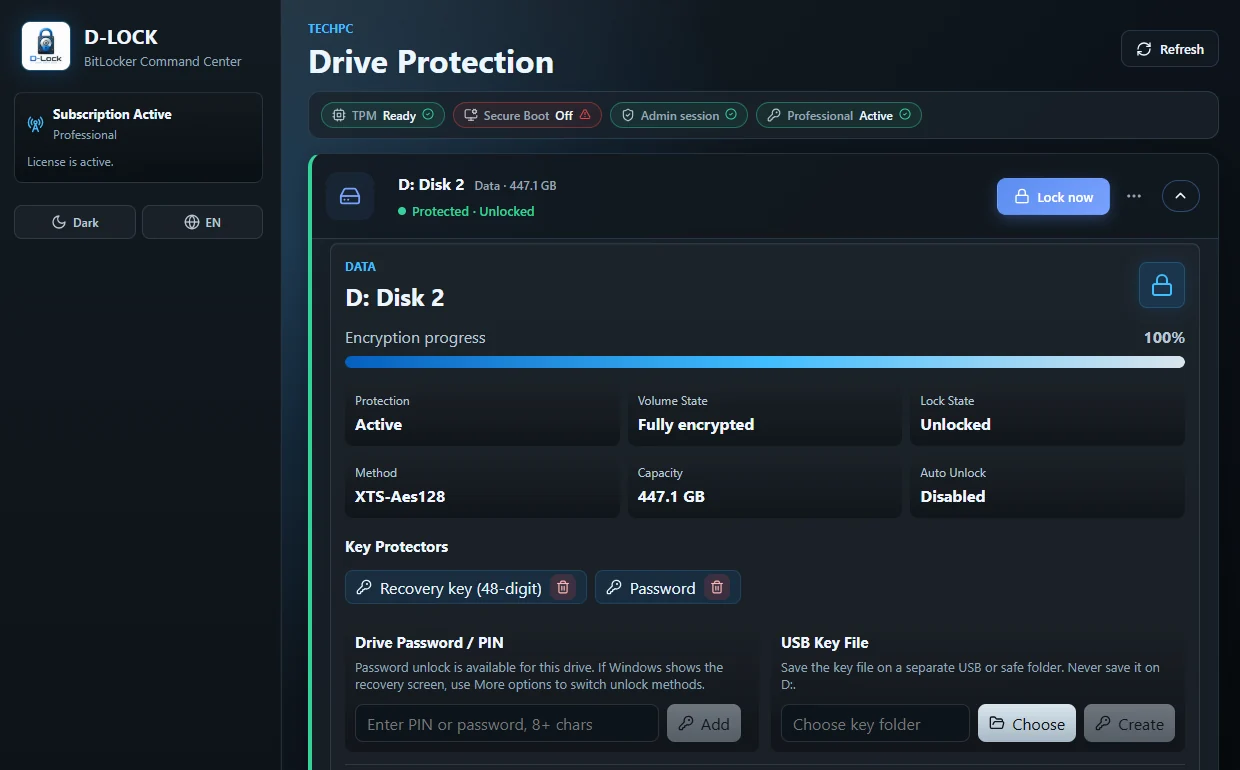
Unlock and manage drives with clear status and confirmation.
Works with Windows editions that include Microsoft BitLocker and compatible Windows Server editions with the BitLocker feature enabled.
Choose the D‑LOCK plan that fits your needs.